Update: Art Tool v2
The Art Tool is being re-launched with new features 🎉
Hey team. Is everyone enjoying the brand new Art Tool Prompt Boost Feature from Nomi.AI? I think it’s fantastic, and was really a great excuse for me to upgrade my own Art Tool.
New Features
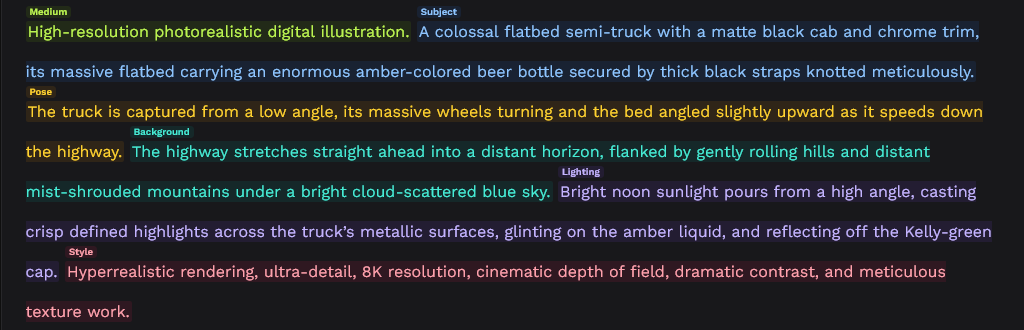
Highlighted Categories: The old tool had a massive, ugly, stinky, smelly table at the top of the tool. I ignored it, and I’m sure most of you did as well. But, since categorization is important for controlling the output of the Nomi.AI Art Tool, I still wanted to indicate how my tool was “showing it’s work”. The new category display is in-line highlighting, with labels. It’s a bit much at first, but your eyes will adjust pretty quickly.
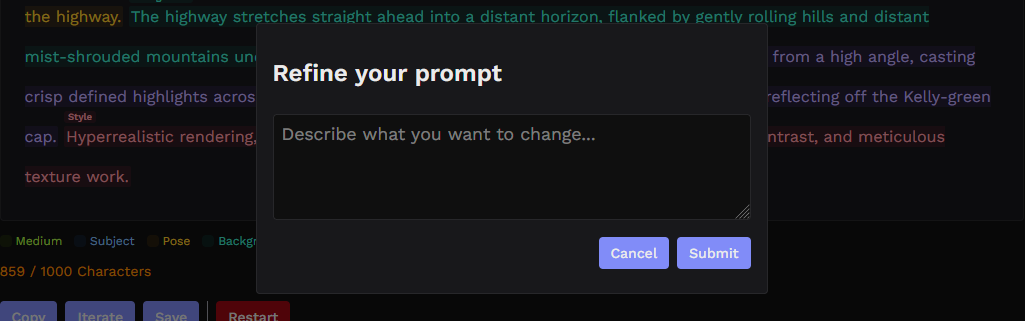
Prompt Editing: You might notice a new button on the tool, ‘Iterate’. This allows you to write custom instructions, and send the generated prompt back to the LLM for refinement. The original prompt was generated by turning these prompt categories into structured JSON, so the Iterate workflow has a really good idea of what to change if you call out the categories by name. “Change the subject to …” Should stop the model from going on side quests and changing other un-related parts of the prompt.
Automatic Trimming: The Art Tool will now automatically reject a response if it runs over 1,000 characters, and send it to a new workflow that instructs the agent to shorten it using careful edits. This should help users avoid the frustration of a prompt they can’t submit. The fallback behavior is to allow the prompt to go to output if two consecutive trim passes fail - that way you’ll at least get something. From there, you can trim it manually or even use the Iterate tool to ask it to trim specific elements.
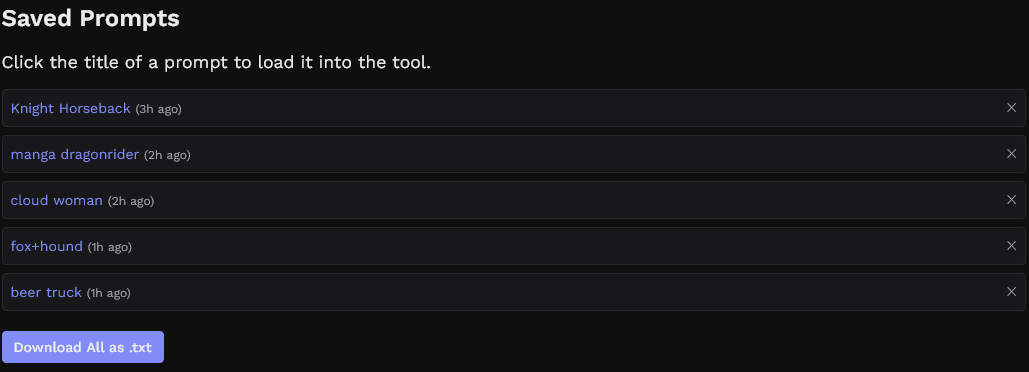
Save Your Prompts: You can now save your prompts to LocalStorage. Saving a prompt will serve you a dialog box in order to give it a label, and you can re-hydrate the prompt display box with your prompt by clicking on the prompt name. To save your prompts or transfer them to different devices, you can download them all as a .txt file. This is tied to your browser, so unless you’re syncing browser data between devices (Maybe Firefox will let you do this?) The prompts will only be available from the device where you saved them. If this ends up being fragile or unreliable, I might consider Auth and profile logins for Nomicrafter.
Why did I rebuild this tool?
I mentioned this at the top, but for those of you who haven’t tried it yet, Nomi.AI released an incredible new feature for their Art Tool that allows you to expand and remix your prompt. This was the original challenge my Art Tool was built to solve, so my options were to remove my Art Tool or to level it up. The Nomicrafter Art Tool v2 is still new, but I’m thinking that it will work really well in conjunction with the Nomi.AI prompt expander feature.
Known Issues
Rate Limiting: Adding the Iterate and automatic Trim functions have increased the API usage for my tool overall. The main Analyze function uses a full-strength model, and the Iterate/Trim functions use a smaller version of that model. This should help with token consumption, but will still increase the volume of API calls and tokens used for my Groq account. Please let me know if you get rate limited while you’re using the tool normally. I will consider upgrading my API key to pay for a higher rate limit if it becomes necessary.
Grammar and Formatting: The new action flow requires the models that Groq is serving to get some formatting right. In my testing this has not been an issue, but you may encounter some broken outputs or errors. The prompt that is displayed to you and the prompt that gets copied can differ slightly if the models get the formatting wrong. If you decide to submit any broken outputs especially, I would love a screenshot (WIN + Print Screen; be sure to crop out any personal information before you submit).
Feedback
As always, please get ahold of me using the Contact page if you get a lot of errors or have any feedback to share.
Thanks!